Food Barcode Scanner App: Check Labels Before You Log
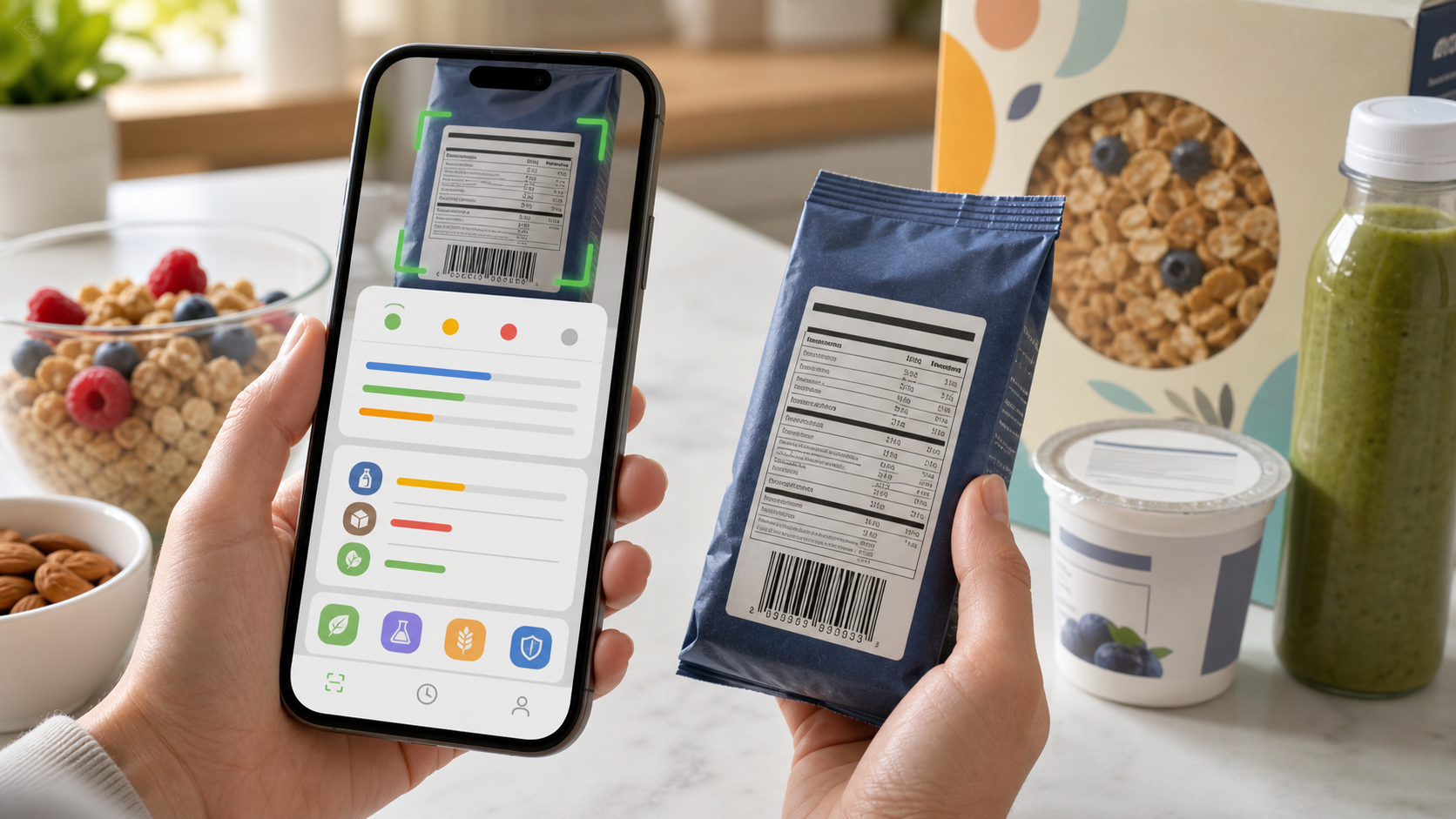
Quick answer: A food barcode scanner app is useful for finding packaged foods faster, but the scan should start the log, not finish it. Use the barcode to identify the product, then verify the current package name, flavor, serving size, Nutrition Facts panel, ingredient list, allergen statement, and package date before saving. Eatibo is most useful when a barcode result becomes a checked entry in your Nutrition Log, not when it asks you to trust an old database match.
Barcode scanning feels more official than taking a photo of food. The package has a code. The app finds a product. The nutrition rows appear. It is tempting to tap save and move on.
That shortcut is useful, but it has limits. Products change formulas. Package sizes change. One flavor can differ from another. A store-brand item may reuse a familiar-looking package while carrying different sodium, sugar, oil, or allergen details. A barcode match can be right enough to help and still wrong enough to distort your log.
Table of contents
- Why barcode scanner results can drift
- The five checks before you trust a barcode result
- What the current label should override
- Where Eatibo fits
- When barcode scanning is not enough
- Frequently asked questions
Key takeaways
- Use the barcode as a fast lookup, not as proof that the nutrition data is current.
- The package in your hand should override any app database when serving size, calories, ingredients, allergens, or flavor details conflict.
- FDA label guidance makes serving size the first check because every nutrient number depends on it.
- USDA FoodData Central is useful for nutrition data, but branded-food records still need context and label verification.
- Eatibo works best when you scan, verify, correct, and save the product to a repeatable Nutrition Log.
A food barcode scanner is a shortcut to the product record. The current package label is still the source you should check before the entry becomes part of your health pattern.
Why barcode scanner results can drift
A barcode identifies a trade item. It does not guarantee that every nutrition database has the newest product details, the flavor in your hand, or the serving size you actually eat.
That matters because nutrition tracking is sensitive to small product differences. A protein bar can have one flavor with more added sugar. A frozen meal can change sodium after a reformulation. A yogurt multipack can use a smaller cup than the single-serve version. A cracker can switch oils, add sesame, or change fiber while the product name still looks familiar.
GS1's GTIN management rules are built around a practical idea: some product changes are material enough that trading partners or consumers need to distinguish the changed product. That does not mean every app database updates instantly. It means the barcode ecosystem is only one part of the product-information chain.
Here is the annoying part: the barcode result can look clean even when the label has moved on. The app may show a trusted-looking product name, calories, macros, and serving size. Unless you compare it with the package, you may not notice that the entry is stale.
The five checks before you trust a barcode result
Use this order for packaged snacks, drinks, yogurts, frozen meals, protein bars, cereal, sauces, crackers, and ready-to-eat meals.
| Check | What to compare | Why it changes the log |
|---|---|---|
| Product identity | Brand, product name, flavor, package size, and count | A barcode match can be close but not the exact item you bought. |
| Serving size | Grams, cups, pieces, container count, and servings per package | Every calorie, macro, sodium, and sugar number depends on this row. |
| Nutrition Facts | Calories, protein, fiber, added sugar, sodium, saturated fat, total carbs, and total fat | These rows decide whether the item fits the meal job. |
| Ingredients | Oils, sweeteners, grains, dairy, gluten cues, additives, and personal avoid-list items | The macro panel cannot show every preference or sensitivity issue. |
| Allergen and date cues | Contains statement, advisory language, lot/date/package version, and formula notes | A familiar product can still change in ways that matter. |
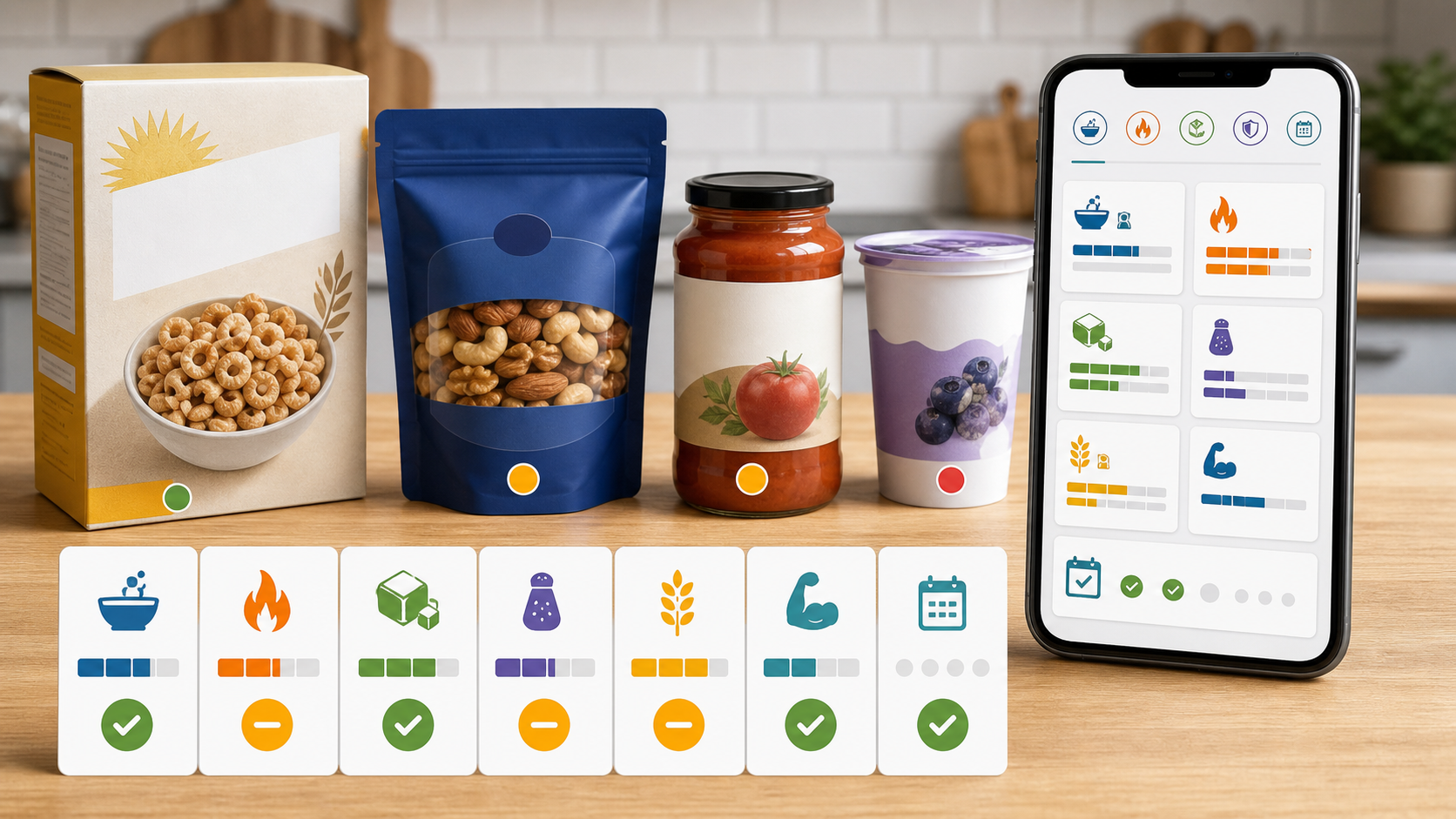
This is not busywork. It is a fast scan that prevents the most common packaged-food mistakes: wrong serving, wrong flavor, old ingredient list, missing allergen cue, or a database entry that does not match the package in front of you.
What the current label should override
The FDA's Nutrition Facts label guidance puts serving size at the center of label reading. If you eat two servings, the calories and nutrients double. That sounds obvious, but it is exactly where barcode logs go wrong.
If the barcode entry says one serving is 30 grams and the package says 28 grams, use the package. If the app says 7 grams of added sugar and the package says 10 grams, use the package. If the app shows an older ingredient list and the package now includes sesame, milk, soy, wheat, or a different oil, use the package.
A practical override table:
| If the scanner says... | But the package says... | Use this |
|---|---|---|
| Different serving size | The package has a newer serving size or container count | Package label |
| Different calories or macros | The Nutrition Facts panel disagrees | Package label |
| Same product name, different flavor | Flavor has different sugar, sodium, ingredients, or allergens | Exact flavor label |
| Old ingredient list | Ingredient order, oils, sweeteners, or allergens changed | Current ingredient list |
| Generic database match | Package has a brand-specific or regional label | Current package |
| Missing allergen detail | Contains statement or advisory language is visible | Current package and medical guidance when needed |
USDA FoodData Central can be a useful nutrition-data source, including for branded foods, but it is still a database. A database record helps you start the entry. It does not replace looking at the package when the decision affects your routine, allergy boundary, sodium target, added-sugar pattern, or ingredient preference.
How to test a barcode scanner app
Do not test a food barcode scanner only with one easy product. Try the foods you actually buy.
Start with this short set:
- A common snack you buy every week.
- A flavored yogurt or protein drink where flavors differ.
- A frozen meal with high sodium risk.
- A cereal or granola with serving-size drift.
- A product with an ingredient preference, such as seed oils, dairy, gluten, sesame, sweeteners, or additives.
- A repeat product you have logged before.
The app does not need to be perfect. It needs to make correction easy. If a barcode scanner finds the right product but buries the serving size, hides the ingredient list, or makes it hard to save a corrected version, it will be annoying after the first week.
A better app behavior looks like this:
- It shows the barcode match and lets you verify the label.
- It keeps serving size visible before save.
- It lets you edit calories, macros, or nutrient rows when the package differs.
- It can attach ingredient or allergen notes.
- It saves a corrected version for faster repeat logging.
- It lets the log show weekly patterns, not just one scan.
Where Eatibo fits
Eatibo is built for the scan-then-verify moment. Use the barcode scan to pull the likely product, then compare it with the current package. If the label agrees, save it. If it does not, correct the entry before it becomes part of your Nutrition Log.
Use a simple Eat / Limit / Skip frame:
- Eat: The barcode match is exact, the serving is realistic, the Nutrition Facts panel agrees, and the ingredients fit your rules.
- Limit: The barcode match is useful, but added sugar, sodium, saturated fat, tiny serving size, low protein, low fiber, or repeat frequency makes it a weaker default.
- Skip: The label is unclear, the package conflicts with an allergy/sensitivity boundary, or the barcode result is too uncertain to trust.
The bigger value is not the scan. It is the corrected repeat entry. If you buy the same yogurt, protein bar, cereal, frozen meal, or snack often, a verified product record saves time and makes your weekly review less noisy.
For the broader package workflow, read Nutrition Label Scanner App: Scan Before You Log. If your concern is scanner trust more generally, Free AI Food Scanner App: Scan, Check, Log covers photos, labels, ingredients, and logs together. Ingredient-specific decisions are covered in Food Additives: How to Scan Ingredient Lists Smarter, and higher-stakes label boundaries are covered in Food Allergy Scanner App: What a Label Scan Can and Cannot Do.
When barcode scanning is not enough
Barcode scanning is weakest when the stakes are high or the package is hard to verify.
Use extra caution with diagnosed food allergies, celiac disease, diabetes medication, kidney disease, heart disease, pregnancy-specific guidance, pediatric nutrition, eating disorder recovery, medication timing, hydration restrictions, or any clinician-directed diet. Eatibo can help scan, organize, and log food information. It is not a medical device, allergist, registered dietitian, emergency plan, medication interaction checker, or substitute for medical care.
Also slow down when:
- The package is imported or has a regional label.
- The product is a variety pack.
- The item has a new look, new flavor, or reformulation note.
- The barcode result lacks ingredients or allergen details.
- You are logging a restaurant, deli, bakery, or prepared-food item with no full package label.
- The front-of-pack claim says "healthy", "low sugar", "high protein", "keto", "gluten free", or "natural" but the full label tells a more complicated story.
The scanner is still useful. It just needs a human check before you treat the result as your record.
Frequently asked questions
Is a food barcode scanner accurate?
A food barcode scanner can be accurate for identifying a packaged product, but the nutrition record still needs verification. Check the current package name, flavor, serving size, Nutrition Facts panel, ingredient list, and allergen statement before saving. A database entry can be stale, incomplete, or matched to a similar product.
Why does my barcode scanner show different calories than the package?
The most common reasons are serving-size differences, package-size changes, formula updates, flavor differences, old database records, or regional product versions. Use the current package label when it conflicts with the app. If the package says a different calorie or nutrient value, that is the value you should log.
Is barcode scanning better than photo scanning?
For packaged foods, barcode scanning is usually a better starting point than a meal photo because it can identify a specific product record. It still does not replace the Nutrition Facts panel or ingredient list. Photo scanning is better for meals without packages; barcode scanning is better for packaged foods that you can verify.
Can a barcode scanner check allergens?
It can help surface ingredient and allergen information when the database includes it, but it should not certify allergy safety. Always read the package's ingredient list and Contains statement. For diagnosed allergies or severe reactions, follow your medical plan and contact the manufacturer or a qualified clinician when needed.
What should I do if the barcode result is wrong?
Correct the serving size, calories, nutrients, ingredients, or notes before saving the food. If the app lets you save a corrected repeat item, use that. If the mismatch is large or health-sensitive, skip the database result and enter the package label manually.
Summary
A food barcode scanner is a good shortcut when it helps you find the product faster. It becomes unreliable when it replaces the label. Scan the barcode, verify the package, correct the entry, and save the result to a log you can review later. That is the practical version of barcode trust: fast lookup, current label, better repeat record.
Last updated: June 26, 2026
Sources
- FDA: Serving Size on the Nutrition Facts Label
- FDA: The Nutrition Facts Label
- USDA: FoodData Central
- GS1: GTIN Management Rules
Related reading
- Nutrition Label Scanner App: Scan Before You Log gives the full packaged-food scan workflow.
- AI Food Scanner App Free: What to Check Before You Trust It explains how to verify AI scanner results before logging.
- Food Additives: How to Scan Ingredient Lists Smarter helps review ingredients alongside nutrition numbers.
- Food Allergy Scanner App: What a Label Scan Can and Cannot Do sets stricter boundaries for high-stakes allergen decisions.