Nutrition Facts Scanner App: Read Labels Before You Log
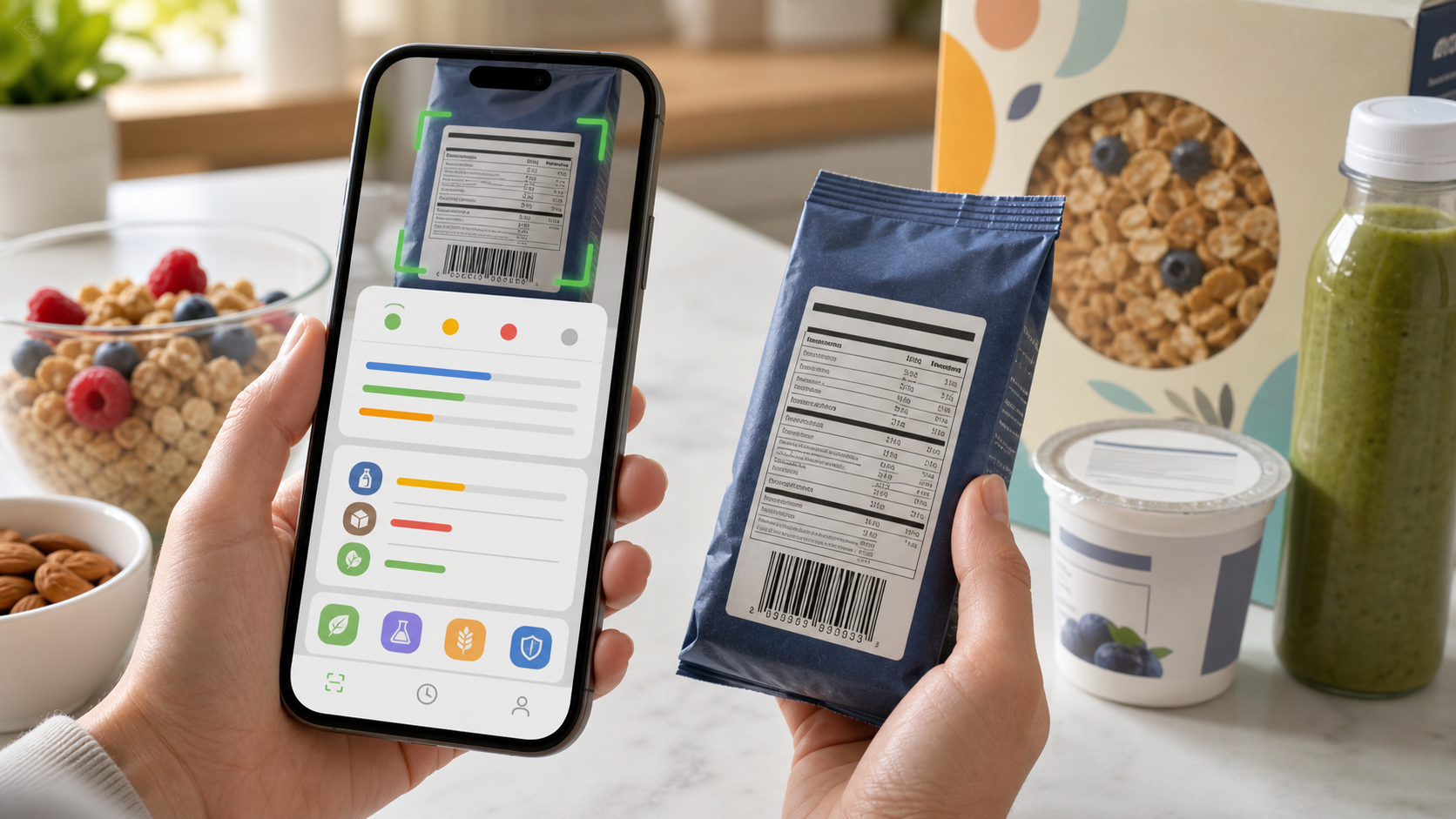
Quick answer: A nutrition facts scanner app is most useful when it turns a package label into a repeatable decision: check serving size first, compare calories and macros, scan added sugar, sodium, fiber, protein, and ingredients, then log the amount you actually ate. Eatibo helps connect food label scans, barcode scans, ingredient checks, and your Nutrition Log, but it should not replace medical advice for allergies, diabetes medication, kidney disease, pregnancy, eating disorder recovery, or clinician-directed diets.
Nutrition labels are supposed to make food easier to understand. In real life, they often create the opposite feeling. A cereal box, protein bar, frozen meal, yogurt cup, bottled drink, or snack bag may show calories, carbs, fat, sodium, fiber, added sugar, protein, vitamins, allergens, serving size, and a barcode. The front of the package may add more claims: high protein, low sugar, keto, gluten free, plant based, natural, light, or zero.
The best scan is not a hunt for one perfect number. It is a quick way to answer a practical question: "Does this food fit the job I need it to do today?" A nutrition facts scanner or food label scanner app should help you move from label overload to a clear Eat / Limit / Skip decision that can be saved in your real food log.
What a nutrition facts scanner app should do
A good nutrition facts scanner app should do more than copy calories from a package. It should help you read the food label in context.
First, it should capture the nutrition label and barcode so you do not have to enter every number manually. Second, it should keep the serving size visible. The FDA's Nutrition Facts label is built around serving size, calories, nutrients, and Daily Value context, so the number only matters if it matches the amount you eat. Third, the app should connect nutrients to ingredients. A drink with low calories but many sweeteners, a cereal with added sugar and low protein, or a frozen meal with high sodium may need a different decision than the calorie count suggests.
Eatibo is designed around that full scan. You can use it for packaged foods, meals, ingredient lists, nutrition labels, and barcode-based choices. The value is not just the one-time label read. The value is what happens after the scan: the food enters your Nutrition Log, your weekly pattern becomes clearer, and the AI Nutrition Coach gets better context for practical questions.
The five-step label scan
Use the same order every time so front-of-pack claims do not steer the decision before the facts.
| Step | What to scan | Why it changes the decision |
|---|---|---|
| Serving size | Grams, cups, pieces, package servings, and whether you usually eat more than one serving | Every calorie, macro, sodium, and sugar number depends on this row. |
| Calories and macros | Calories, protein, carbs, fat, saturated fat, and how those fit the meal | Shows whether the food is a snack, meal base, treat, or side item. |
| Added sugar and sodium | Added sugars, total sugars, sodium, sauces, coatings, seasonings, and drinks | These often explain why a "healthy" product does not fit a daily routine. |
| Fiber and protein | Dietary fiber, protein grams, whole-food ingredients, and fullness support | Helps separate useful staples from low-satiety packaged foods. |
| Ingredients and allergens | Ingredient order, additives, gluten, dairy, soy, nuts, sesame, seed oils, and personal triggers | A good macro label can still be wrong for your sensitivity, allergy boundary, or preference. |
This order keeps the scan honest. Serving size comes first because a label can look reasonable when the package contains two or three servings. Calories and macros come next because they explain the food's basic role. Added sugar, sodium, fiber, and protein show whether the food supports the routine you want. Ingredients and allergens help you catch the issues that the nutrition panel does not fully explain.
How to compare packaged foods faster
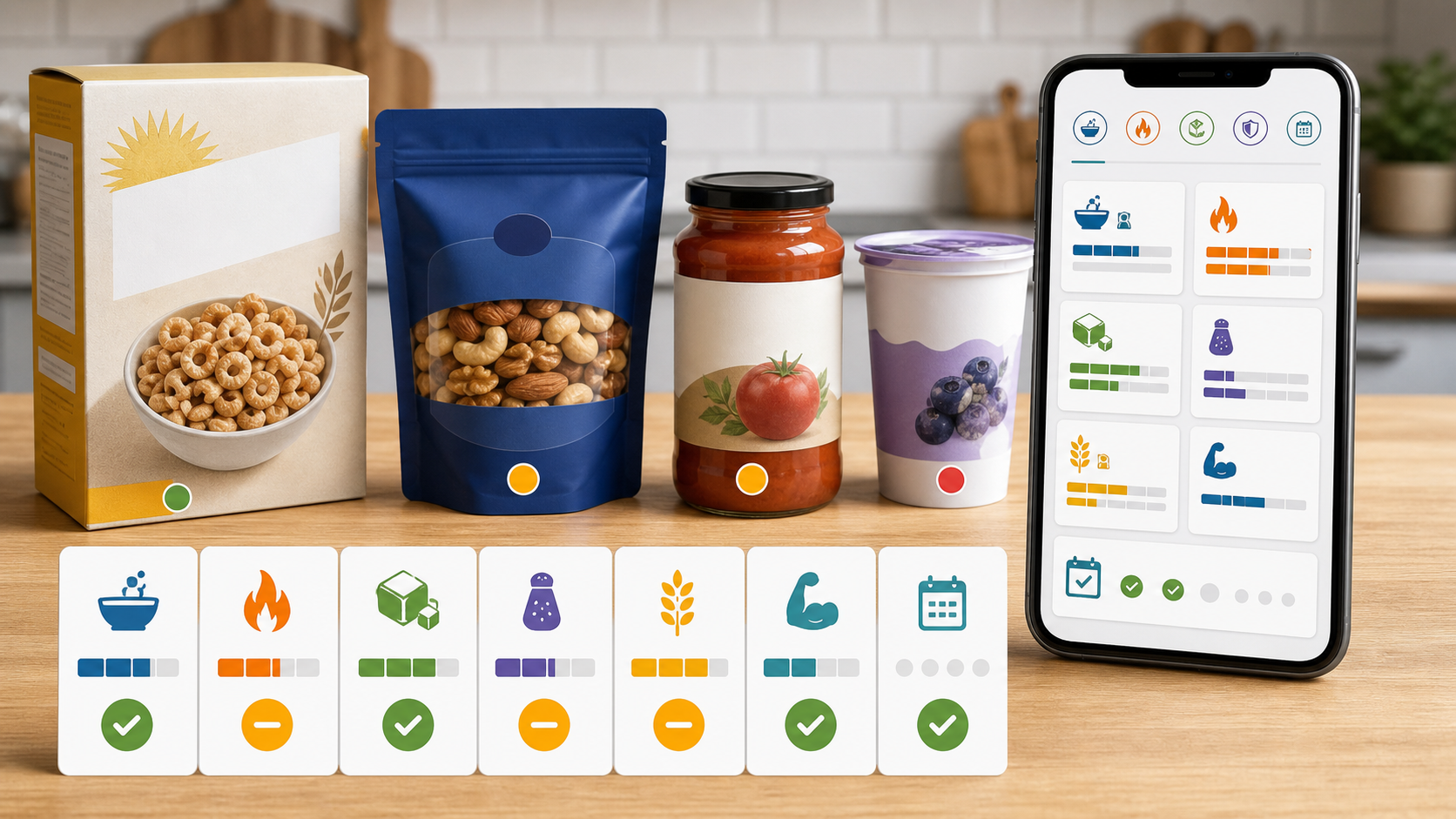
When two products look similar, do not compare every row at once. Pick the label rows that match the job.
If you are choosing breakfast cereal, compare serving size, added sugar, fiber, protein, and whether the serving you pour is bigger than the label assumes. A cereal can be low in fat and still be a poor everyday breakfast if it is mostly refined grain and sugar.
If you are choosing yogurt, compare protein, added sugar, saturated fat, base ingredients, dairy or dairy-free claims, and toppings. Plain Greek yogurt and a dessert-style flavored cup may sit in the same aisle, but they do different jobs.
If you are choosing a frozen meal, compare calories, protein, fiber, sodium, saturated fat, vegetables, and package servings. The sodium row may matter more than the ingredient that caught your eye.
If you are choosing a protein bar, compare protein, total calories, added sugar, sugar alcohols, fiber, saturated fat, allergens, and the ingredient list. A high-protein claim is not enough if the bar is also a sweetened snack you end up eating daily.
If you are choosing a bottled drink, compare serving size, total bottle servings, added sugar, caffeine, sweeteners, sodium, and whether it is replacing water or a meal. Many drink labels look better when you miss the servings-per-container detail. If the drink is replacing plain water often, use the free Water Intake Calculator to set a simple daily range before you decide whether the bottle fits your routine.
Use the barcode, but do not stop there
Barcode scanning is fast. It can help identify a packaged food, pull known nutrition data, and reduce manual entry. But the barcode should be the start of the decision, not the finish.
Packaged foods change formulas. Serving sizes can differ between flavors or package sizes. Store-brand versions may look similar but carry different sodium, added sugar, allergens, or oils. A nutrition facts scanner app should make it easy to verify the current label in front of you before you trust the database result.
That is especially important for people with personal rules. If you avoid gluten, lactose, sesame, peanuts, dairy, soy, seed oils, high sodium, added sugar, or certain additives, the ingredient list matters as much as the barcode match. Eatibo's scan flow is useful because it can connect barcode-style convenience with label and ingredient review.
Where Eatibo fits
Eatibo is built for the moment when you are holding a product and need a practical answer. Scan the label, check the barcode or ingredient list, then look at the parts that actually change your next action: serving size, calories, protein, fiber, added sugar, sodium, allergens, additives, and your saved food preferences.
The decision is then attached to the Nutrition Log. That is the part many scanner apps miss. A label can look fine once. The weekly pattern may tell a different story. Maybe your "healthy" snack keeps pushing sodium high. Maybe the drink you forget to log is where most added sugar comes from. Maybe a protein bar helps on travel days but crowds out better breakfasts when it becomes routine.
For ingredient-specific concerns, Eatibo's Food Additive Risk Alerts can help surface additive, allergen, seed-oil, and ultra-processed signals without turning every unfamiliar word into a universal warning. For broader pattern questions, Your AI Nutrition Coach: Decoding What You Eat for a Healthier You explains how scans and weekly context work together.
If the label scan is feeding a target, use the free Macro Calculator for Weight Loss or Protein Intake Calculator first, then compare those estimates with the packaged foods you actually log.
Use Eatibo's Eat / Limit / Skip framing as a practical shortcut:
- Eat: The serving is realistic, the nutrition profile fits the meal, and the ingredients match your rules.
- Limit: The food can fit occasionally, but added sugar, sodium, saturated fat, additives, or portion drift make it a weaker default.
- Skip: The label conflicts with an allergy, sensitivity, clinician-directed boundary, or personal avoid-list.
What the scanner should not decide for you
A scanner can organize information, but it cannot know every clinical detail of your body. Be careful when the label decision is high-stakes.
If you have a diagnosed food allergy, severe reaction history, celiac disease, diabetes medication, kidney disease, heart failure, pregnancy-specific restrictions, eating disorder recovery needs, digestive disease, or a clinician-directed diet, use professional guidance for personal targets and safety boundaries. Eatibo can help you notice ingredients and log patterns; it is not a medical device, allergy authority, medication tool, or substitute for a registered dietitian or clinician.
Also be careful with "better-for-you" products. Low sugar, keto, gluten free, high protein, plant based, organic, natural, and light are not full nutrition reviews. Scan the whole label anyway.
A practical grocery-aisle checklist
Before a packaged food becomes a regular buy, scan it the same way a few times.
- Does the serving size match how much I actually eat?
- Is the package one serving or multiple servings?
- Do calories and macros fit the meal job?
- Are added sugar and sodium reasonable for how often I eat it?
- Does fiber or protein help with fullness?
- Are saturated fat, allergens, additives, or oils important for my rules?
- Does the ingredient list match the front-of-pack claim?
- Is this a one-time convenience food or a weekly default?
- What does my Eatibo log say after I eat it more than once?
This keeps the app practical. You are not trying to become a label expert in every aisle. You are building a repeatable scan that helps you buy, eat, and log with less guesswork.
Frequently asked questions
What should I scan first on a nutrition label?
Start with serving size and servings per container. Then compare calories, protein, carbs, fat, added sugar, sodium, fiber, and the ingredients that matter for your sensitivities or goals.
Is a barcode scanner enough for nutrition tracking?
No. A barcode scanner is helpful for fast lookup, but you should still verify the current label, serving size, ingredients, allergens, and package size. Database entries and formulas can change.
Can Eatibo scan ingredients as well as nutrition facts?
Eatibo is designed to support both nutrition label and ingredient-list decisions. That matters because calories and macros do not show every allergen, additive, seed-oil, or personal preference issue.
Can a nutrition facts scanner tell me what to eat for a medical condition?
No. A scanner can help organize label information and food logs, but medical nutrition decisions should come from a qualified professional when allergies, medications, pregnancy, kidney disease, diabetes, eating disorder recovery, or diagnosed conditions are involved.
Last updated: July 3, 2026
Sources
- FDA: How to Understand and Use the Nutrition Facts Label
- FDA: Added Sugars on the New Nutrition Facts Label
- FDA: Dietary Fiber on the Nutrition Facts Label
Related reading
- Free AI Food Scanner App: Scan, Check, Log shows how label scans fit into photo, barcode, ingredient, and log verification.
- Food Barcode Scanner App: Check Labels Before You Log explains why barcode results still need current-label checks.
- Macro Calculator for Weight Loss turns calorie and macro targets into a starting estimate.
- Protein Intake Calculator gives a daily protein range before you scan packaged foods.
- Water Intake Calculator gives a daily water range when bottled drinks keep replacing water.
- Food Additives: How to Scan Ingredient Lists Smarter helps you interpret additive and ingredient signals after the nutrition panel.
- Low-Carb Snacks: How to Scan Labels Smarter applies the same scan order to snack choices.
- Protein Calculator: Turn a Target Into Meals shows how label scans support protein planning.
- Gluten-Free Snacks: How to Scan Labels Smarter adds a sensitivity-aware packaged-food workflow.