Food Allergy Scanner App: What a Label Scan Can and Cannot Do
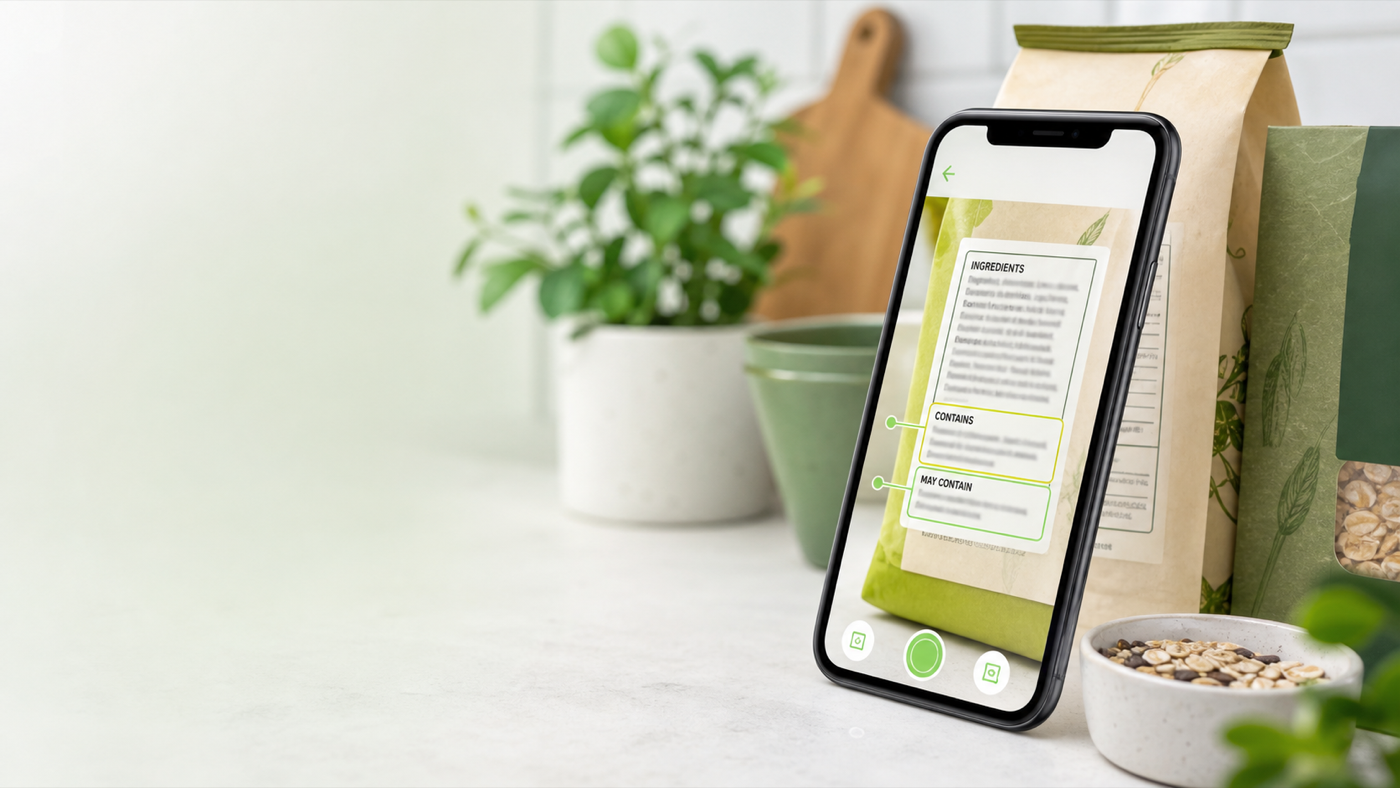
Quick answer: A food allergy scanner app can help you read ingredient lists, spot major allergen declarations, compare "Contains" and advisory statements, save package details, and make repeat label checks faster. It cannot prove that a food is safe for a diagnosed allergy, rule out cross-contact, replace the current package label, or substitute for an allergist, clinician, emergency plan, or manufacturer confirmation.
Searching for the best food allergy scanner app makes sense when grocery shopping feels like a label-reading job. Packages change. Ingredients move. "Contains" statements can sit below a long ingredient list. Advisory language such as "may contain" may be easy to miss. If you are shopping for yourself, a child, a roommate, or a family member, the same cereal bar can become a five-minute decision.
The useful role for a scanner is not certainty. It is organization. A good scan helps you slow the package down: read the ingredient list, highlight allergen cues, save the barcode and date, and remind you where human review still matters.
Key takeaways
- Start with the real package in your hand. A scanner is a second reader, not the final authority.
- In the U.S., the major food allergens are milk, eggs, fish, Crustacean shellfish, tree nuts, peanuts, wheat, soybeans, and sesame.
- Check both the ingredient list and any "Contains" statement because the allergen source can appear in either place.
- Advisory statements such as "may contain" or "made in a facility with" are voluntary and do not work like a ranked risk score.
- Scan the barcode, package date, and label version because a familiar product can change.
- Use Eatibo to log label decisions and repeat patterns, but use medical guidance for diagnosed allergies or severe reaction risk.
The safest food allergy scanner app is not the app that sounds most certain. It is the one that keeps the original label, your personal allergen list, and human review in the same decision.
What a food allergy scanner app should check
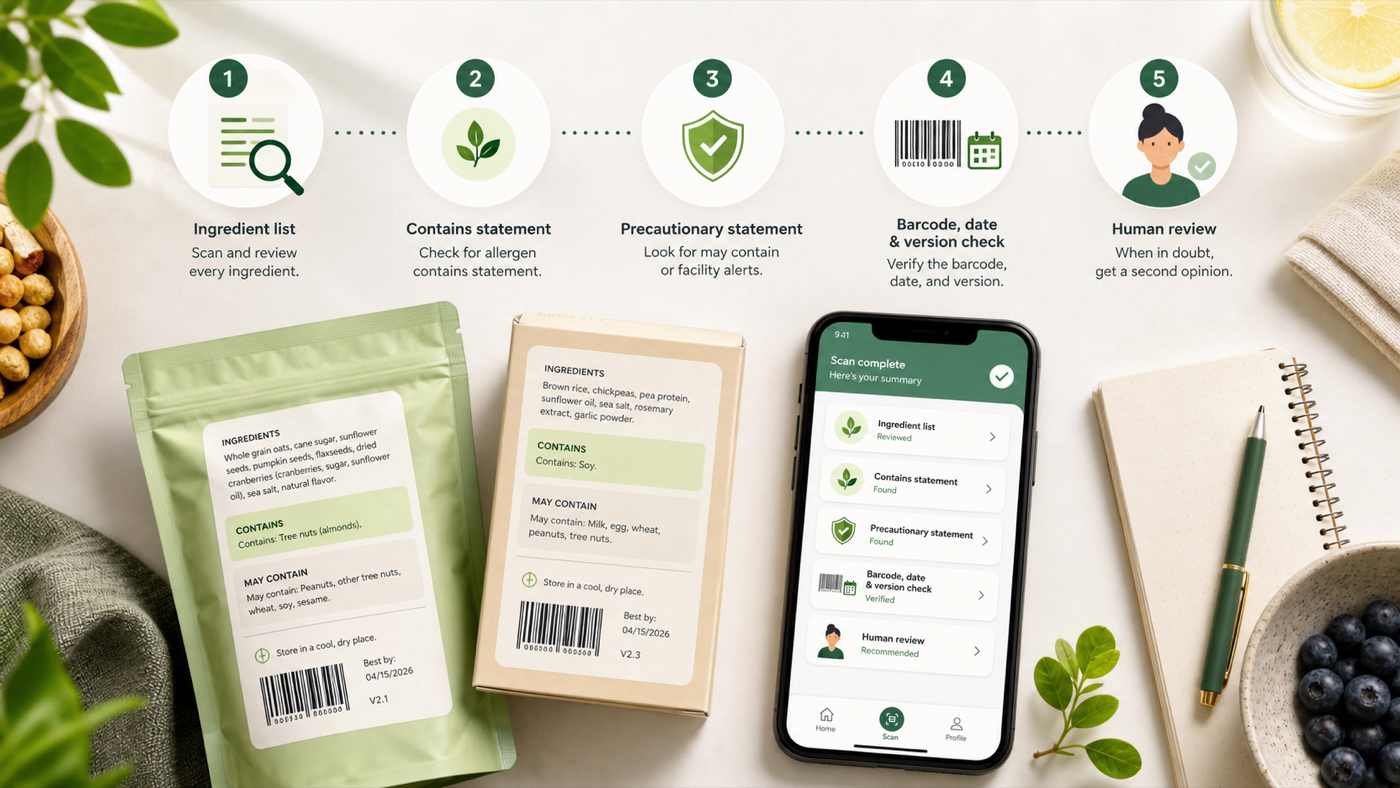
Use this five-step scan for bars, snacks, cereals, sauces, frozen meals, dairy alternatives, protein drinks, bakery items, and school-lunch foods.
| Scan step | What to check | Why it matters |
|---|---|---|
| Ingredient list | Every ingredient, including parenthetical names such as "whey (milk)" or "lecithin (soy)" | The allergen source may be declared inside the ingredient name rather than only in a separate statement. |
| Contains statement | A nearby statement such as "Contains wheat, milk, and soy" | This can summarize major allergen sources, but it does not remove the need to read the full list. |
| Advisory statement | "May contain," "made on shared equipment," "made in a facility with," or similar wording | These warnings are voluntary and tied to possible cross-contact, so they need personal risk rules. |
| Barcode and package version | UPC, best-by date, lot code, flavor, size, and package redesign | A product you trusted last month may not have the same ingredients today. |
| Human review | Your own allergen list, clinician plan, manufacturer contact, or caregiver confirmation | Allergy risk is high-stakes. The app should support the review, not replace it. |
The major allergen list is only the starting point
The FDA identifies nine major food allergens in U.S. labeling law: milk, eggs, fish, Crustacean shellfish, tree nuts, peanuts, wheat, soybeans, and sesame. Sesame became the ninth major allergen for U.S. labeling requirements on January 1, 2023.
That list is helpful, but it is not the whole allergy world. Some people react to foods outside the major nine. Some people need gluten rules because of celiac disease. Some need sulfite, color additive, or other sensitivity awareness. Some shop under a clinician-directed plan that is stricter than general label law.
That is why a scanner should let you maintain your own avoid-list instead of treating the major nine as the only possible problem. If your rule is "peanut and tree nut," the scan should focus there. If your rule is "milk plus possible cross-contact," the scan should flag a different set of cues. If your rule is medical and severe, the scanner should keep telling you to verify directly.
Ingredient list first, app result second
Most allergy mistakes start when a person lets a shortcut replace the label. The front package says "dairy free." A barcode result says "safe." A familiar snack looks the same as last time. None of those should beat the package in your hand.
A better order:
- Read the product name, flavor, size, and package date.
- Scan the ingredient list.
- Check the Contains statement, if one is present.
- Check advisory language, if any appears.
- Compare the scan result against your personal allergen list.
- If the risk is serious or unclear, do not eat it until you verify with a qualified source or the manufacturer.
Eatibo can help in steps two through five by extracting the label text, surfacing likely allergen cues, and saving the decision to your Nutrition Log. The app should make the label easier to review. It should not turn a blurry scan into a promise.
Why "may contain" is not a simple risk score
Advisory statements are where shoppers often want an app to be more confident than the label allows.
You may see language such as:
- May contain milk
- Made on shared equipment with peanuts
- Produced in a facility that also processes tree nuts
- May contain traces of sesame
The FDA explains that these advisory statements are not required by law and are meant to address unavoidable cross-contact when good manufacturing practices and precautions are in place. They should be truthful and not misleading, but they are not a standardized scale where one phrase always means less risk than another.
FARE's label-reading guidance makes the practical point even clearer: read labels every time, and do not assume the absence of an advisory statement means the product is safe.
For a scanner app, the right behavior is to flag advisory language and let your rule decide. If your allergist or family plan says to avoid any product with an advisory statement for your allergen, the app should help you follow that. If your plan is different, the saved scan can still help you review the exact wording.
When a free food allergy scanner app is useful
A free food allergy scanner app can be useful for lower-friction shopping, especially if it can do these jobs:
| App job | Useful behavior | Bad behavior |
|---|---|---|
| OCR scan | Captures the ingredient list and lets you inspect the text | Hides the original label behind a single green result |
| Allergen matching | Compares label text with your saved avoid-list | Uses a generic list and ignores your personal allergens |
| Barcode history | Saves product version, date, and notes | Assumes a barcode result is always current |
| Advisory flagging | Highlights "may contain" and shared-facility language | Treats advisory wording as a precise risk score |
| Decision log | Saves Eat / Limit / Skip notes for future review | Encourages blind repeat buying without checking the label again |
For everyday shoppers, this is enough to reduce missed details. For diagnosed allergies, it is still only support. The final decision should come from the current package, your medical plan, direct manufacturer confirmation when needed, and emergency instructions from a clinician.
Where Eatibo fits
Eatibo is strongest when you want a repeatable grocery workflow. Scan the label, review ingredients and allergen cues, then save the food with your real decision. If the same snack shows up again next week, you are not starting from zero. You can see what you scanned, what you noticed, and whether the label deserves a fresh check.
Use Eatibo like this:
- Eat: The current package matches your allergen rules, the label is readable, there is no unresolved advisory conflict, and the food also fits your nutrition goals.
- Limit: The label is technically acceptable for your rules, but the product has weak nutrition tradeoffs, unclear advisory language, or a pattern you do not want often.
- Skip: The label names your allergen, includes advisory language your plan tells you to avoid, is unreadable, has changed, or leaves you unsure.
The Nutrition Log matters because allergy-aware shopping is not only a one-time scan. It is a routine. You may learn that one product keeps changing flavors, another has reliable labeling, and a third creates too much uncertainty to keep buying. That history can reduce friction without pretending the app is a safety certificate.
For broader label work, start with Nutrition Label Scanner App: Scan Before You Log. If additives are part of your concern, use Food Additives: How to Scan Ingredient Lists Smarter. For specific aisles, Gluten-Free Snacks: How to Scan Labels Smarter, Lactose-Free Milk: Scan Labels Before You Buy, and Seed-Oil-Free Snacks: Scan Ingredient Lists Without Overreacting extend the same workflow.
The allergy boundary a scanner must not cross
Food allergy guidance is not normal nutrition advice. A wrong snack can cause more than a bad macro day.
Use extra caution when:
- A diagnosed allergy is involved
- A child, school, travel plan, or caregiver decision depends on the scan
- The label is damaged, translated, covered, or partly unreadable
- The product has changed packaging, flavor, size, or supplier
- Advisory language mentions your allergen
- The food comes from a bakery, deli, restaurant, bulk bin, or unlabeled source
- You are deciding for someone with a history of severe reactions or anaphylaxis
Eatibo can help organize labels and logs. It is not an allergist, emergency plan, epinephrine instruction source, manufacturer guarantee, school policy, or medical device. If symptoms of an allergic reaction occur, follow the emergency plan from a qualified clinician and seek appropriate medical care.
Frequently asked questions
Can a food allergy scanner app tell me if a food is safe?
No. It can help read and organize label information, but it cannot prove safety. Allergy decisions depend on the current package, your specific allergen list, cross-contact risk, manufacturer practices, medical advice, and emergency plan.
What should I scan first for food allergies?
Start with the ingredient list and any Contains statement. Then check advisory language such as "may contain" or "made on shared equipment." After that, compare the result with your personal allergen list and the actual package version.
Are "may contain" labels required?
No. Advisory statements are voluntary in the U.S. They can warn about possible cross-contact, but the wording is not a precise risk scale. The absence of an advisory statement also does not prove that a product is safe for every allergic person.
Is a barcode scanner enough for allergy shopping?
No. A barcode can help identify the product, but formulas, suppliers, package sizes, and labels can change. Always check the package in your hand, especially when a diagnosed allergy or severe reaction risk is involved.
Can Eatibo replace my allergist or dietitian?
No. Eatibo can scan labels, flag ingredient cues, and help you log patterns. It should not replace an allergist, clinician, registered dietitian, emergency plan, school allergy plan, or manufacturer confirmation for high-risk foods.
Summary
A food allergy scanner app is useful when it makes label reading more careful, not when it promises certainty. Use it to capture ingredient lists, check Contains statements, flag advisory language, save barcode and package notes, and review your Eatibo log over time. Keep the boundary firm: the label, your medical plan, and human verification still come first.
Last updated: June 7, 2026
Sources
- FDA: Food Allergies
- FDA: How to Understand and Use the Nutrition Facts Label
- FARE: How to Read a Food Label
Related reading
- Nutrition Label Scanner App: Scan Before You Log explains the broader package scan workflow.
- Food Additives: How to Scan Ingredient Lists Smarter helps review additives, allergens, and ingredient roles together.
- Gluten-Free Snacks: How to Scan Labels Smarter applies label scanning to gluten-aware snack choices.
- Seed-Oil-Free Snacks: Scan Ingredient Lists Without Overreacting keeps ingredient preferences proportional.